

Calendar

Your whole day.
One calendar.
You've always kept your work calendar and your life calendar separate. SayBriefly doesn't see why. Everything lives here now — and when something needs doing, it's one click away.
replaces: cal, calendly, and zoom scheduler.
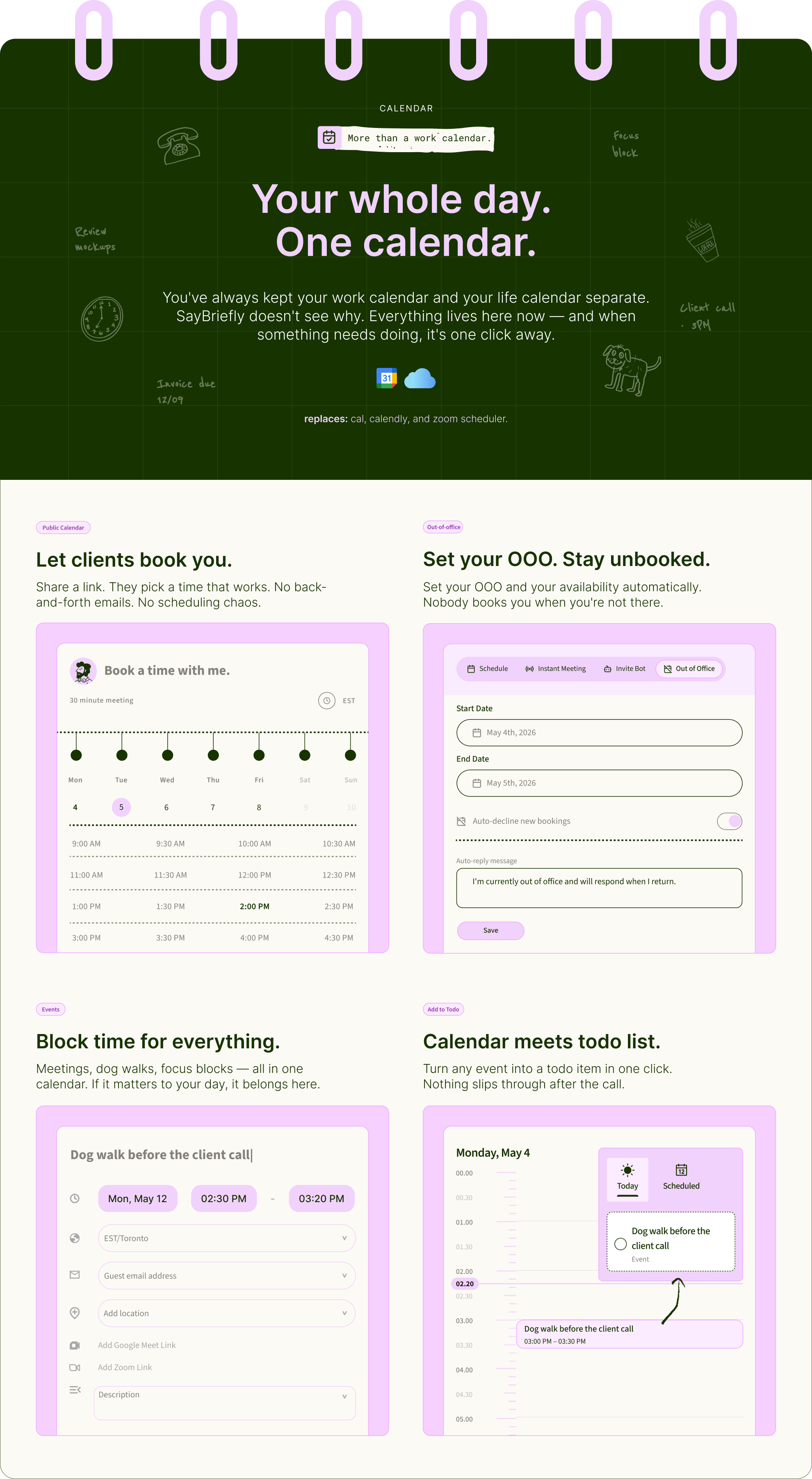
Let clients book you.
Share a link. They pick a time that works. No back-and-forth emails. No scheduling chaos.
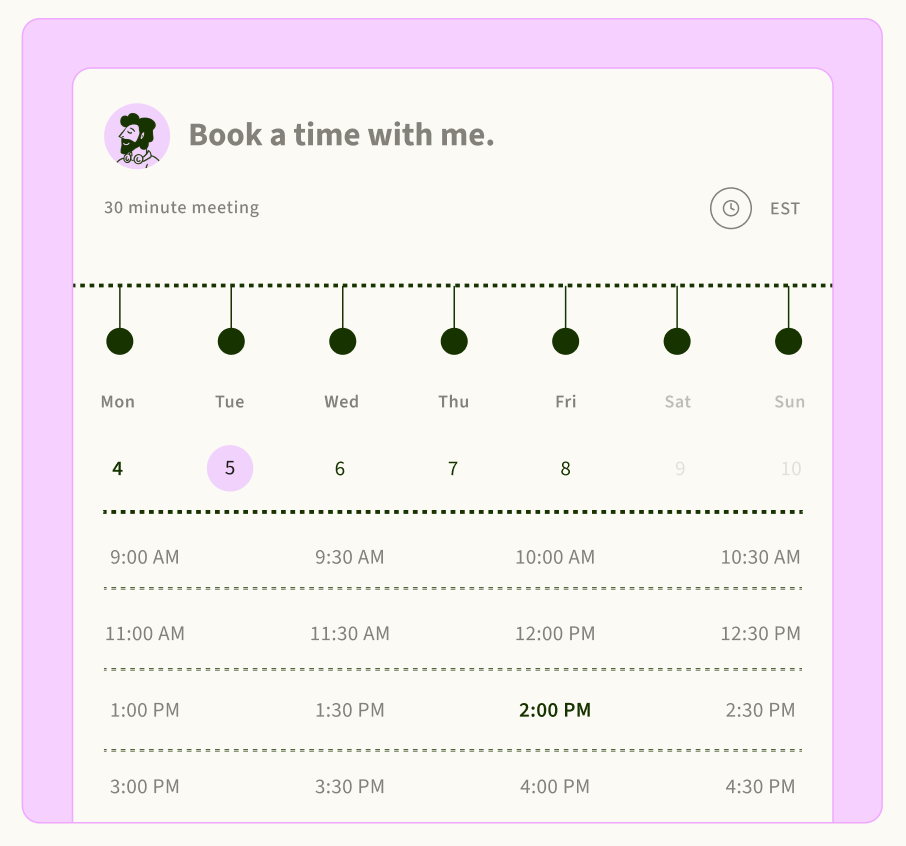
Set your OOO. Stay unbooked.
Set your OOO and your availability automatically. Nobody books you when you're not there.
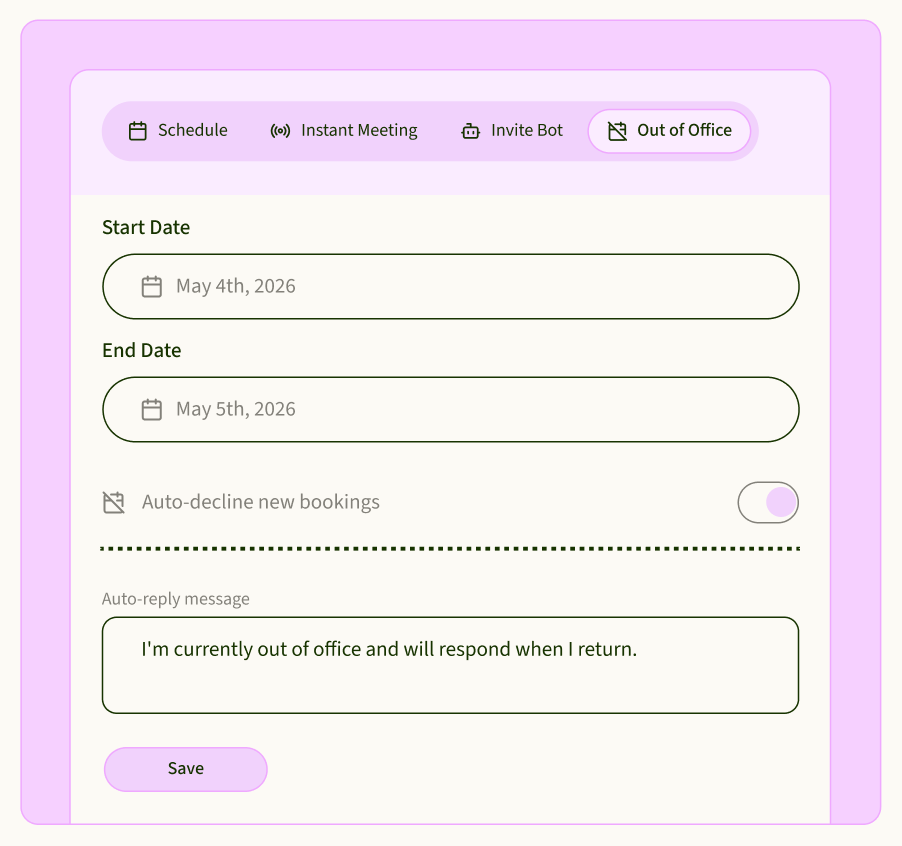
Block time for everything.
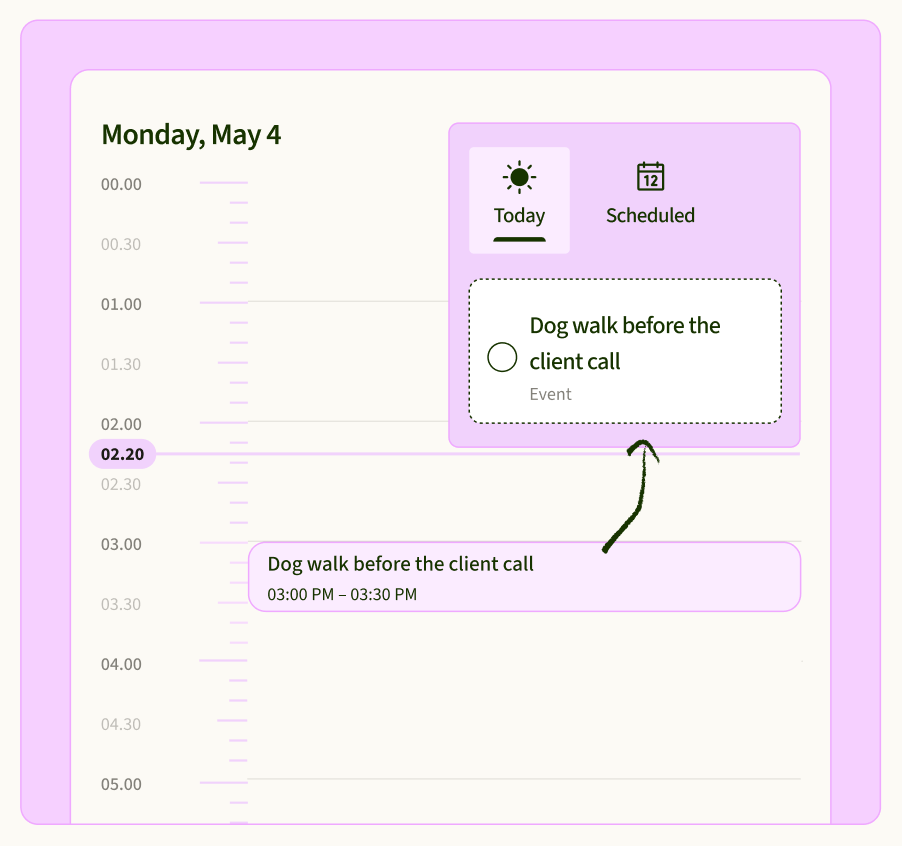
Meetings, dog walks, focus blocks — all in one calendar. If it matters to your day, it belongs here.
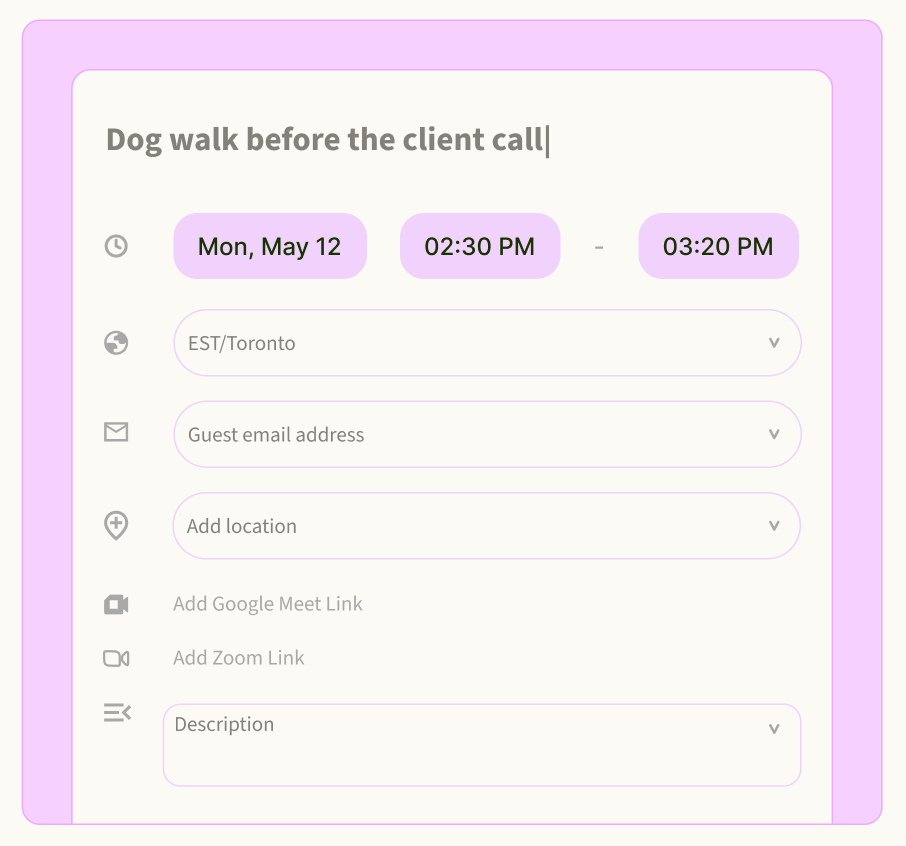
Calendar meets todo list.
Turn any event into a todo item in one click. Nothing slips through after the call.
Professionals spend 4.75 hours a week
just arranging meetings.

Professionals spend 4.75 hours a week just arranging meetings.
That's a full half-day. Every week. Just on scheduling.
What is a calendar app?
A calendar app runs your day.
A booking link fills it.
A calendar app shows your meetings and events in one place, reminds you before they start, and syncs across your devices. For anyone who works with clients, it also needs a booking link: a page where people pick a free time themselves, so nobody sends five emails to find a slot.
SayBriefly is a calendar app with booking links built in, for freelancers and studios. It syncs both ways with Google Calendar, lets clients book you at your own link with Google Meet or Zoom as the meeting place, and takes notes on the call when it happens. A Calendly alternative that's part of the app you already work in.
How booking works
Share a link. They pick a time.
 saybriefly.com/maria
Project intro call
30 min · Google Meet · Europe/Berlin
1. Share your link
Your booking page lives at saybriefly.com/yourname. Make one link per kind of meeting: intro call, review, workshop.
2. They pick a free time
Only times that are free in your calendar show up, in the guest's own time zone. They don't need an account.
3. It's on both calendars
The booking lands in your calendar, and the guest gets a confirmation email with a calendar invite they can add in one click.
A Calendly alternative for client work
Booking pages that
work the way you do.
A link for every kind of meeting.
15 to 120 minutes
Set the length, your working hours for each day, the time zone and the meeting details. Share the one that fits.

Ask before they book.
Your own questions
Add questions to the booking form: budget, project type, website. Or make them answer first and see the times after, to screen leads.
Approve before it's confirmed.
You decide who gets in
Turn on approval and new bookings wait for you. Accept, and the guest gets the confirmation with the Google Meet link.
No bookings on your days off.
Holidays and short notice
Public holidays in your country are blocked automatically, and a minimum notice stops anyone booking you for ten minutes from now.

Looks like your studio.
Your logo, cover and colors
Put your logo, a cover image and your colors on the booking page, so it feels like part of your brand.

Stop paying forscheduling separately.
A scheduling app for the booking link, a notetaker for the call, a to-do app for what you promised on it. SayBriefly does all three, so the meeting someone booked turns into notes and tasks in the same place, and you don't pay for a separate scheduling tool.
Booking links included
As many booking pages as you need, each with its own questions and hours.
No second subscription
If you use SayBriefly for meetings or projects, your booking page is already there.
One app, not three
Calendar, meeting notes and your to-do list together.
Calendly alternatives,
side by side.
← Scroll to compare →

Shareable booking link

Syncs with Google Calendar
Blocks holidays and days off
work accounts only
Your to-do list in the same app

Google Tasks
Notes and next steps from the booked call
paid add-on
recording only
Workspace plans
Mac and Windows desktop app
Scope creep alerts from client calls
Checked September 2026 on each product's own website. Paid-plan features noted where they need one.
After someone books you
From booked call
to finished task.
A new client books a project intro call from your link. It's on your calendar, and they have the invite.
SayBriefly takes notes without joining as a bot, so the client just sees you.
You get a summary, the decisions, and the next steps, filed under that client's project.
Next morningWhat you promised on the call is on your to-do list, and Plan My Day puts it in today's short list.
Google Calendar, on Mac, Windows and the web
Your whole day,
wherever you open it.
Two-way Google Calendar sync.
Your events in, new events out
Events from Google Calendar show up in SayBriefly, and events you create in SayBriefly go back to Google. Busy times keep your booking page honest.
A heads-up before every call.
Even with the app closed
Get a reminder a few minutes before a meeting starts, with a Join button for the call.
Any event becomes a task.
One click
Turn an event into a to-do so the prep, or the follow-up, doesn't get lost.
Calendar app for Mac and Windows.
macOS 12+ · Windows 10 and 11 · app.saybriefly.com
A desktop calendar next to your notes and tasks, and the same calendar in your browser, always in sync.
Scheduling without the back-and-forth
Six tips for a booking link
clients actually use.

One link per meeting type
An intro call and a design review need different lengths and questions.
Ask two questions, not ten
Project type and budget tell you enough. Long forms lose bookings.
Protect your mornings
Open your booking hours after your best focus time, not before it.

Set a minimum notice
A few hours of notice means you're never surprised by a call.
Let time zones sort themselves
Guests see times in their own zone, so nobody does the maths.
Put the link in your signature
Every email you send becomes a way to book you.
Who it's for
The calendar app
for client work.

Freelancers
Leads book an intro call themselves, and you only see the ones who answered your questions.
Consultants and coaches
Booked sessions come with notes and follow-ups, without a bot in the call.
Design and dev studios
Client calls sit next to the project board and the to-do list they feed.
It's 10:58. The call was at 10:30.
Let's not do that again.

When time slips away
A calendar that
taps you on the shoulder.

Losing track of time is common, and for many people with ADHD it's a daily fight: deep in work, the meeting just disappears. SayBriefly keeps work and life on one calendar and reminds you before each call, with the Join button ready.
One calendar
Client calls and the dentist in the same place.
A nudge before each call
Even when the app is closed.
Guard your focus time
Book focus blocks so clients can't take them.
Questions
What people ask about calendar apps.
What is the best calendar app for freelancers?
+
One that shows all your calls in one place and lets clients book you without back-and-forth. Google Calendar is the common base; SayBriefly syncs with it both ways and adds booking links, meeting notes and a to-do list in the same app.
Is SayBriefly a Calendly alternative?
+
Yes. You get booking links at saybriefly.com/yourname with your own hours, questions, approval and branding. The difference is what happens next: SayBriefly takes notes on the booked call and turns what you promised into tasks.
Does it work with Google Calendar?
+
Yes, both ways. Events from Google Calendar appear in SayBriefly, events you create in SayBriefly go back to Google, and busy times keep your booking page accurate. Outlook calendars aren't supported yet.
Can I have more than one booking link?
+
Yes. Make a booking page for each kind of meeting, each with its own length, hours, time zone and questions.
Can I screen people before they book?
+
Yes. Add your own questions to the booking form, or ask them first and only show available times after, so you can screen leads.
Can I approve bookings before they're confirmed?
+
Yes. Turn on approval for a booking link and new requests wait for you. The guest gets an email when you accept or decline.
Do guests need an account to book?
+
No. Guests pick a time on your booking page, see it in their own time zone, and get a confirmation email with a calendar invite.
Will people book me on holidays?
+
No. Public holidays are blocked on your booking pages automatically, and you can set a minimum notice so nobody books a call for ten minutes from now.
Is there a calendar app for Mac and Windows?
+
Yes. SayBriefly runs on Mac (macOS 12 or later) and Windows 10 and 11, and in the browser at app.saybriefly.com, all in sync.
Do I need a separate scheduling app subscription?
+
No. Booking links are included in SayBriefly, together with the calendar, the meeting notetaker and your to-do list.

It's 4pm on a Friday. The brief is locked, the client is happy, and Scribbble already sent the meeting recap. You close the laptop.
That's the point.

“SayBriefly allows me to give my full awareness in meetings, enabling radical presence, relevant question-asking, and finding flow that was otherwise elusive when note-taking.”

Emma Joel, Creative Director
Itsmy Studio
“The AI summaries are incredibly accurate. Our entire team adopted SayBriefly within weeks, and our post-meeting clarity has never been better.”

Marcus Chen, Product Manager
Pixel Lab
“What used to take hours of note-taking and follow-up emails now happens automatically. SayBriefly is the assistant I didn't know I needed.”

Sarah Williams, Head of Design
Studio Bloom

Let clients book you.
Keep the rest of the day.
One link to book you.
Notes from every call.
Tasks from what you promised.



2026 ©SayBriefly. All rights reserved.
Designed by @HustleJar