

Remember every client meeting.
Even the one from March.
SayBriefly keeps each meeting with that client's past meetings, emails and what you agreed, so you can ask what was decided, months later.
DownloadHave an account? Download the app

Every meeting joins the client's story.

Open a meeting and see what changed since last time: what's done, what's still open, what they asked again. Ask about any past meeting. And SayBriefly checks every new request against whatyou agreed to. So you walk into every meeting prepared.

It knows what was agreed
three meetings ago.
Every new request is checked against everything you and your client said before.
When something changes, you know. Before you've done the work.

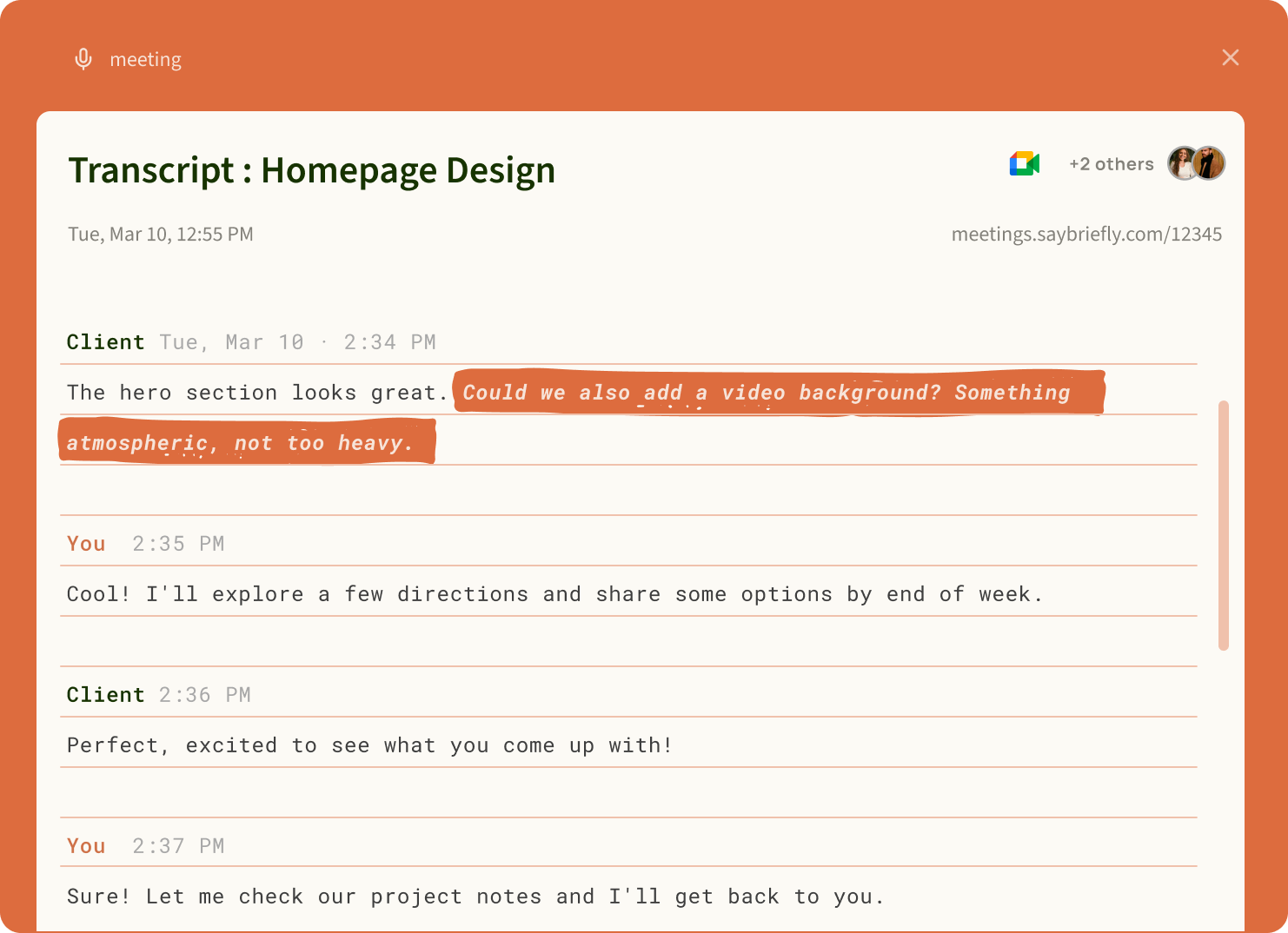
The scope change alert
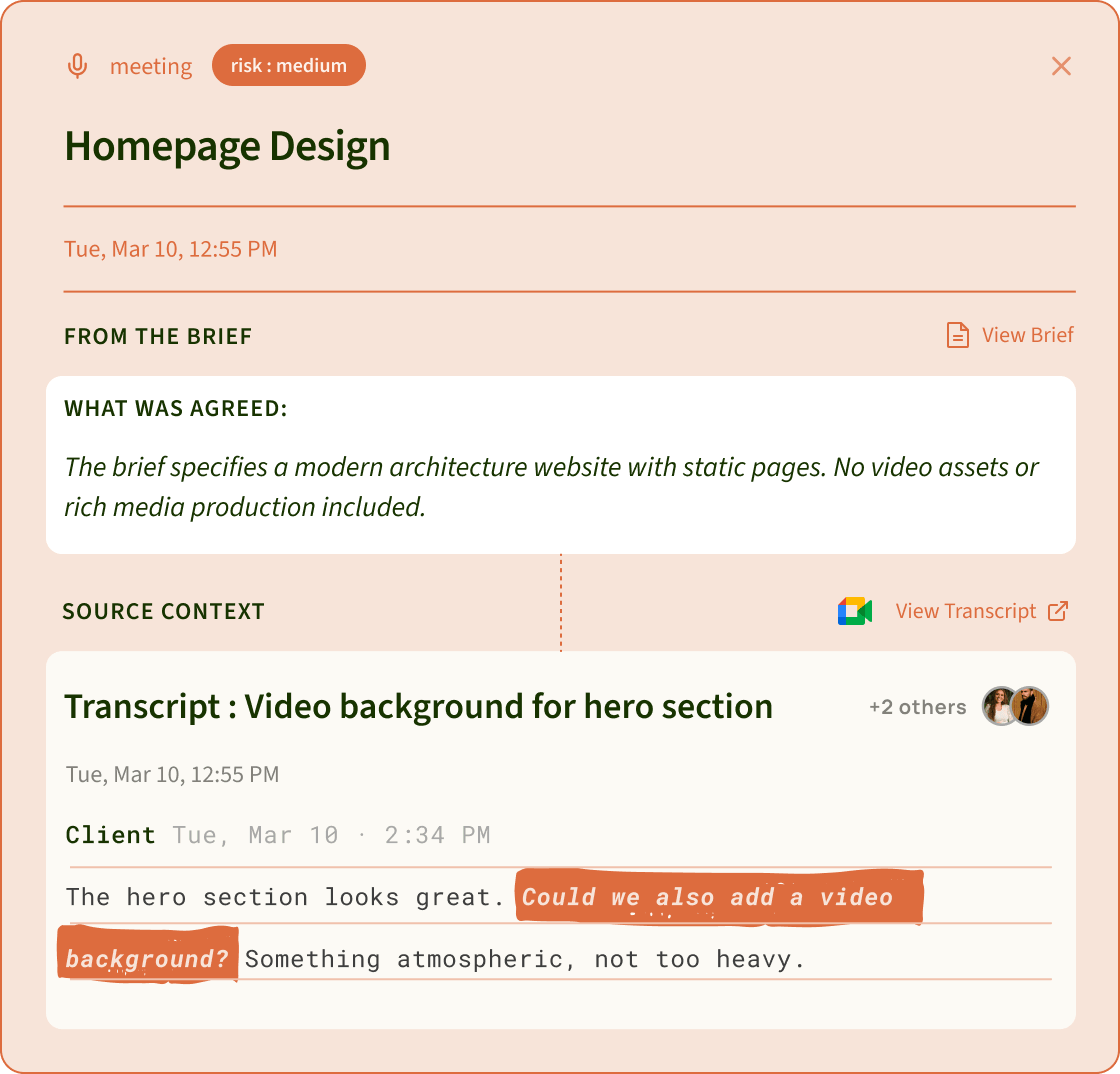
The conversation that triggered it
Even in your inbox.
Emails join the same client story, so a casual “can we also” gets checked against your past meetings.
Integrates with Gmail

We're in Figma too.
Figma comments land in the client's story too, checked against what you agreed.
Integrates with Figma

And in your client's Slack.
Slack messages join the same thread of meetings and emails.
Integrates with Slack


When something doesn't match what was agreed before, you get an alert that shows exactly where they asked. Then you choose: include it, charge for it, or say no.
Clients forget. You keep every word of what was agreed.
Every meeting, email and decision, kept with the client and ready to quote.

/Agent

New chat. Explain the client again.
Scribbble  remembers every client, every meeting, every email. Just ask.
Ask it like you'd ask a colleague: "What did we decide about the logo in March?" or
"What changed since our last meeting?" It answers from your whole history with that client,
and shows you where it was said.


Before every meeting, ask Scribbble where things stand. It already knows what was said last time, what's still open and what changed.
Never go in blind again. Scribbble catches you up before every meeting.
Every answer comes with the meeting or email it came from.
Walk in like you remember everything.

Meetings

Every meeting joins the client's story.
Even the one from three months ago.
Each meeting sits with that client's past meetings, emails and what you agreed.
Open a note and see what changed since last time: done, still open, asked again.
The conversation never goes cold.
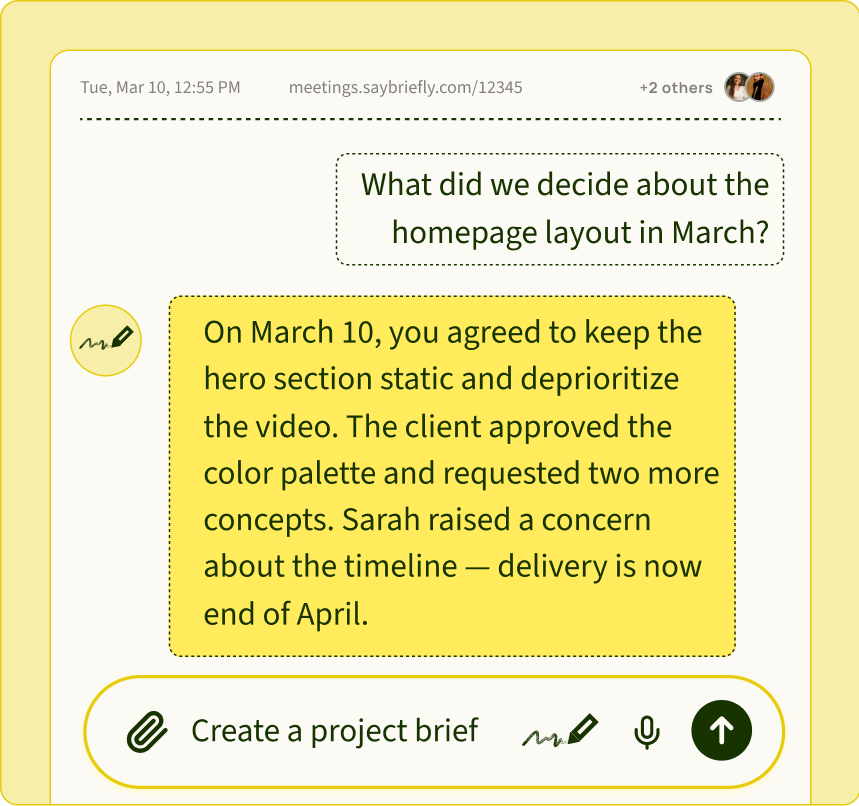 Meeting memory.
Ask anything. Months later.
What was decided. Who said what. What changed.
Scribbble remembers it all.
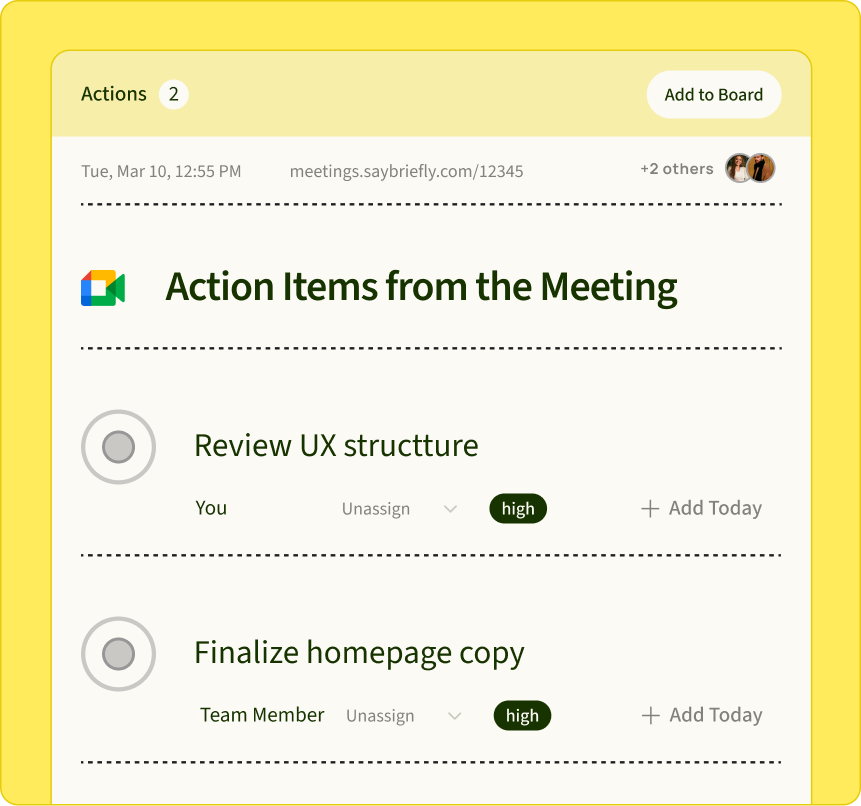 Action Items
From "we should do that" to done.
Every next step from the call is listed for you. Add it to your to-dos in one click. Nothing gets lost.
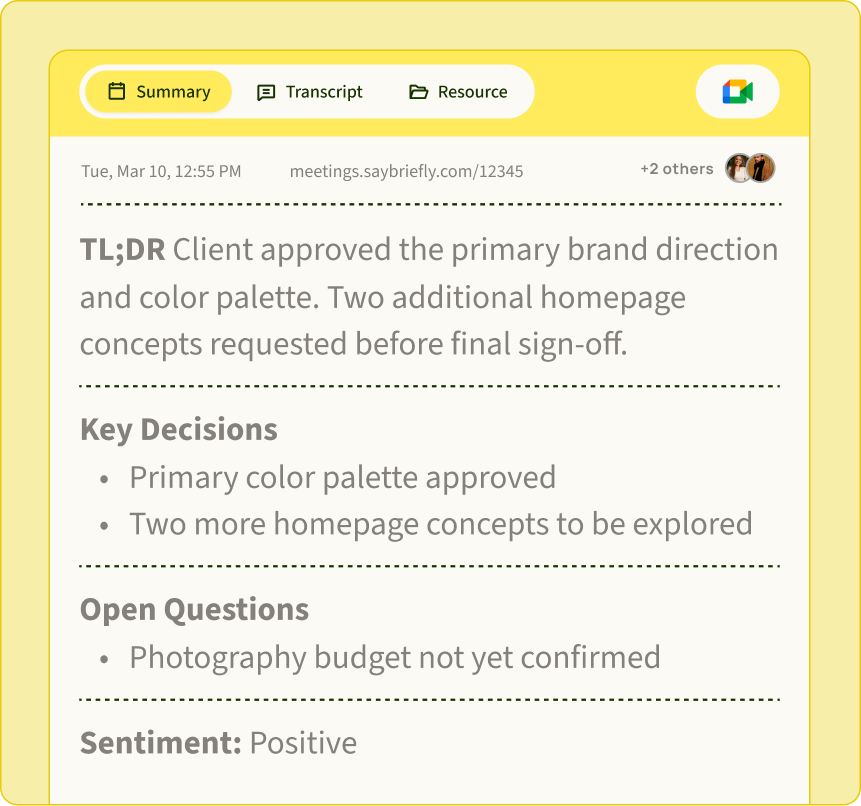 Meeting Summary
The whole meeting. In 60 seconds.
Decisions, open questions and next steps, ready about a minute after the call. Know what was settled and what wasn't.
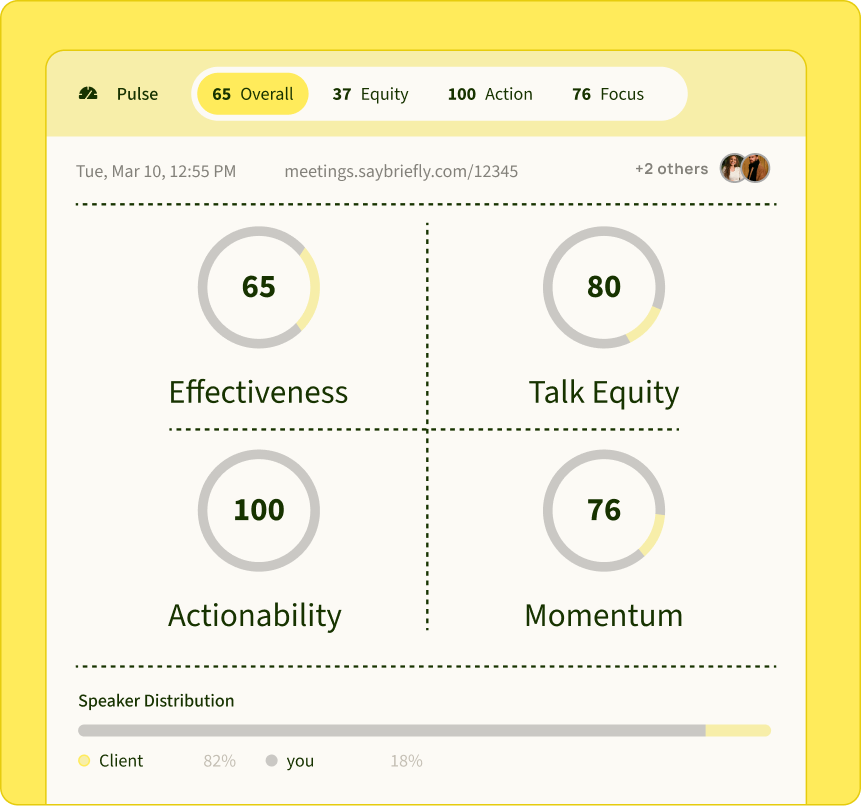 Meeting score
Could this meeting be an email?
Every call gets a quick score, so you know if it was time well spent.
Most clients  don't remember what they agreed in March.
SayBriefly does, word for word.
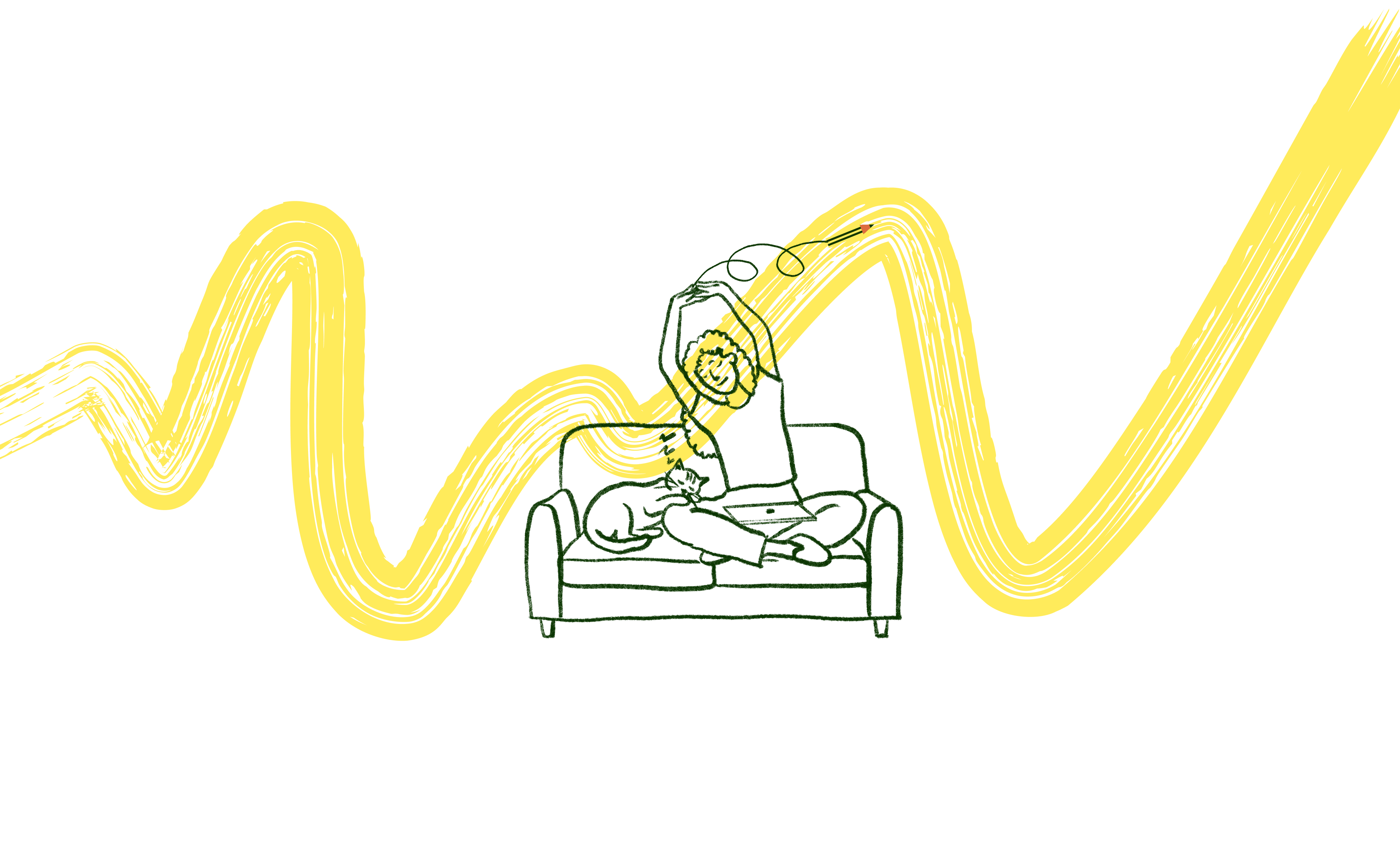
It's 4pm on a Friday. You know where every client stands, what changed this week and what's next. You close the laptop.
That's the point.
Note apps remember one meeting.
SayBriefly remembers the whole client.
← Scroll to compare →


Takes the notes, so you can be in the call

Mac app only

Finds the emails that actually need you
when you ask
when you ask
Remembers what the client agreed to
Catches "small thing, can we add…" before it costs you
Knows which client every task belongs to
Builds your to-do list without you typing it
when you ask
when you ask
Lets clients book you, no back and forth
connector
connector
Spots extra asks hiding in Figma comments
Turns what you say into what you'd have typed
Made for people who bill clients

“SayBriefly allows me to give my full awareness in meetings, enabling radical presence, relevant question-asking, and finding flow that was otherwise elusive when note-taking.”
Emma Joel, Creative Director
Itsmy Studio
“The AI summaries are incredibly accurate. Our entire team adopted SayBriefly within weeks, and our post-meeting clarity has never been better.”

Marcus Chen, Product Manager
Pixel Lab
“What used to take hours of note-taking and follow-up emails now happens automatically. SayBriefly is the assistant I didn't know I needed.”

Sarah Williams, Head of Design
Studio Bloom

Never start a client meeting
from zero again.
Know what was said last time.
Know what changed.
Walk in prepared.



2026 ©SayBriefly. All rights reserved.
Designed by @HustleJar