
To-do list
The to-do list
that writes itself.
What you promised on a call, what a client asked for by email, what's due on a project board. SayBriefly puts it on your list, with where it came from, so you stop copying tasks around.
replaces: Todoist, sticky notes, and the tasks you forgot to write down
You said you'd do it. It's on the list.
After a call, the things you committed to become tasks. Things other people owe stay in the meeting notes, not on your list.
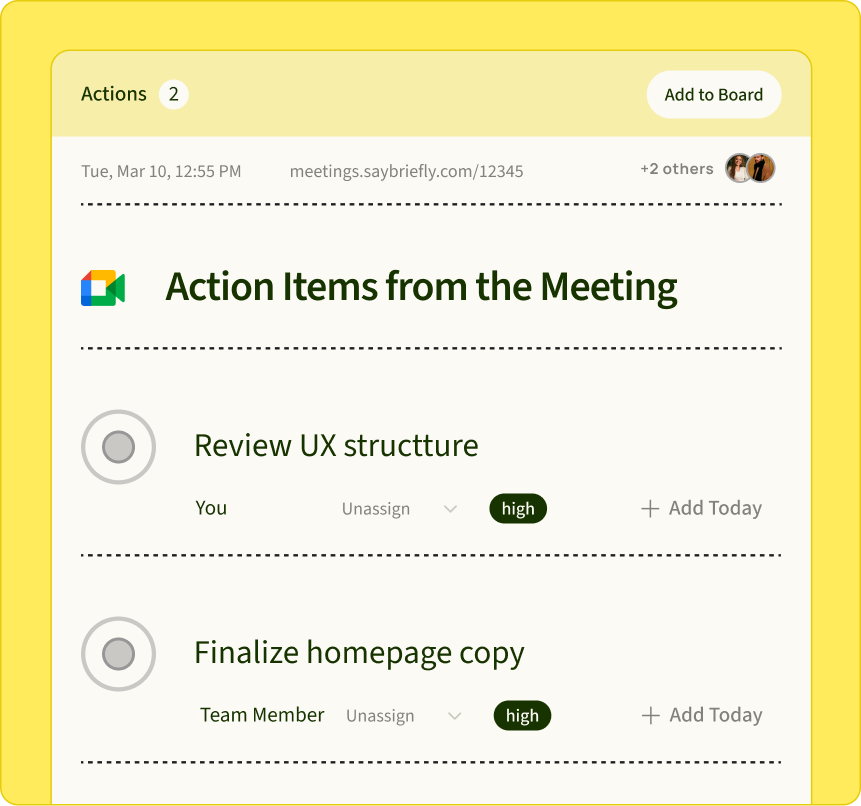
Client asks turn into tasks.
When an email needs you to do something, it shows up as a task with a link back to the email.

A short list for today.
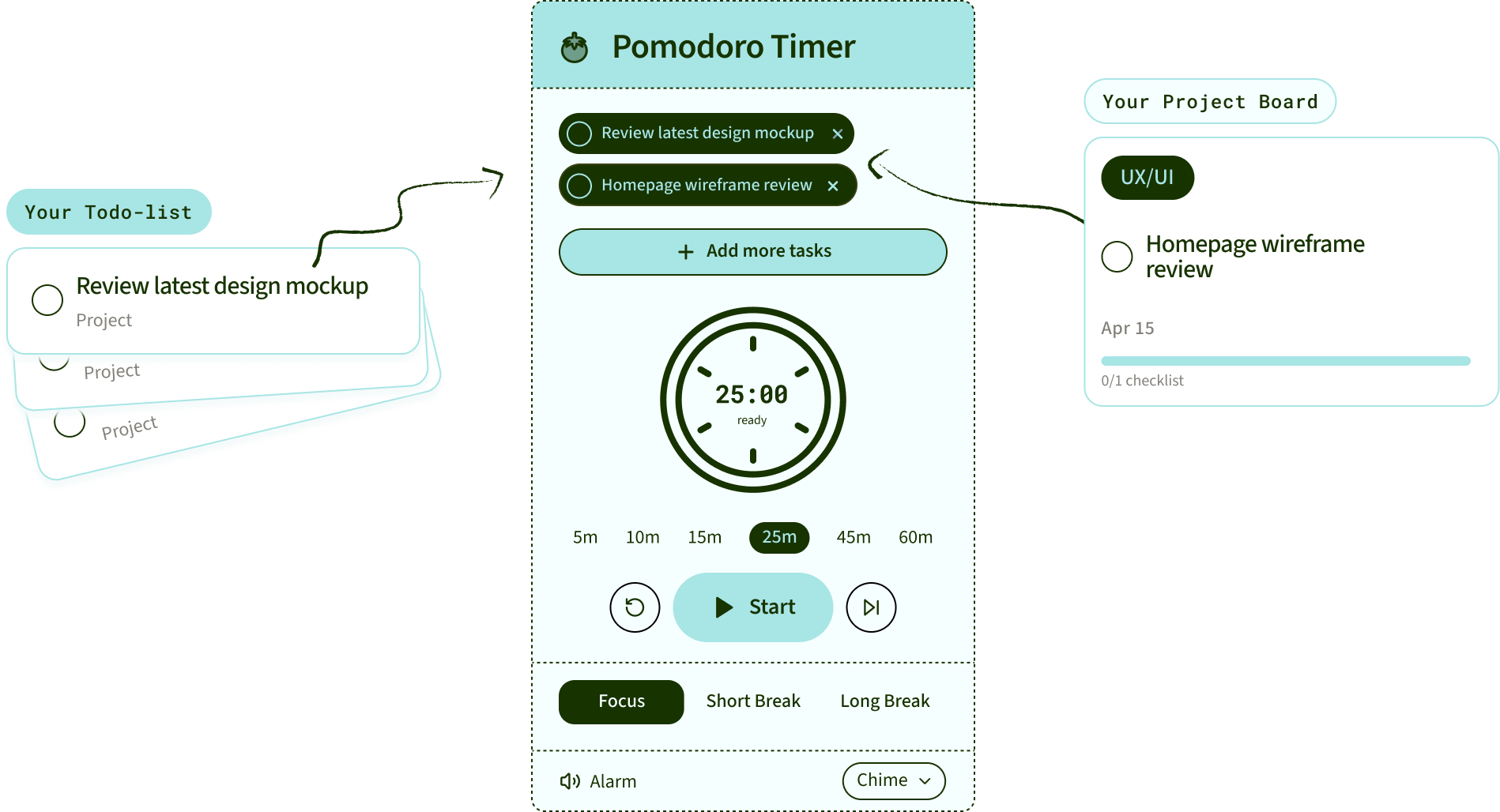
Plan My Day picks what matters today from everything you owe, so you start with a list you can finish.
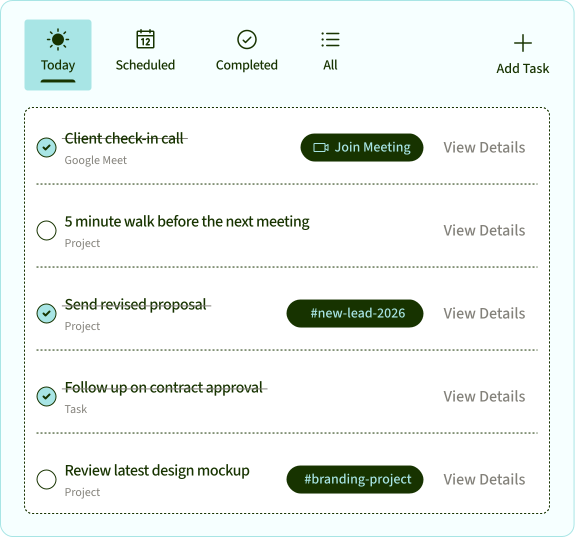
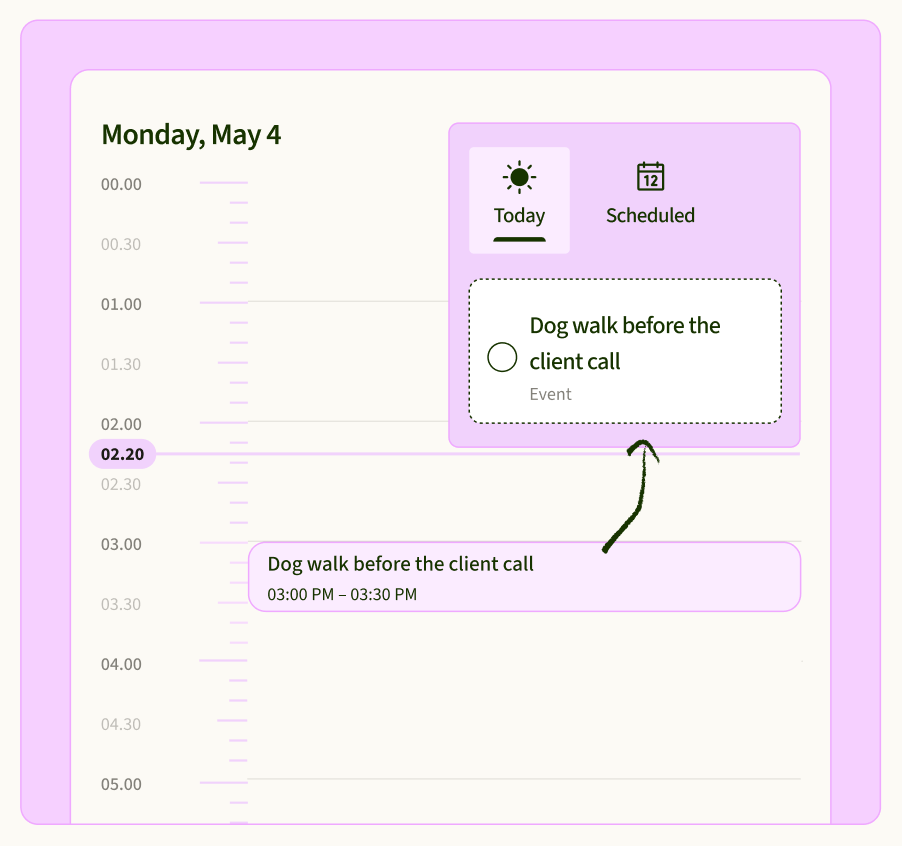
Your meetings, next to your tasks.
Upcoming shows today's calls with a Join button, and any event can become a task in one click.
Big tasks, broken down.
Add subtasks, labels and due dates. Tick one off and it syncs with the project board card it came from.
Start a timer on any task.
Hit play on a task to run a pomodoro on it. When the timer ends, take the break.
Stop being the person
who types up the tasks.
Your list fills itself from the places work already happens, and it catches it when a client asks for more than you agreed.
What is a to do list app?
A to do list app keeps
what you owe in one place.
A to do list app is where your tasks live: what needs doing, by when, and what's done. The good ones make it quick to add a task, easy to plan the day, and hard for anything to slip. The problem is the typing: most of your tasks are born somewhere else, on a call or in an email, and you have to copy them over.
SayBriefly is a to do list app that fills itself from your meetings, email and projects. It puts only your own commitments on your list, links every task back to where it came from, and plans your day, on Mac, Windows and the web.
How it works
Your list fills itself.

From your meetings
After a call, what you said you'd do becomes a task. What others owe stays in the meeting notes.
From your email
When an email asks you to do something, it becomes a task with a link back to that email.

From your projects
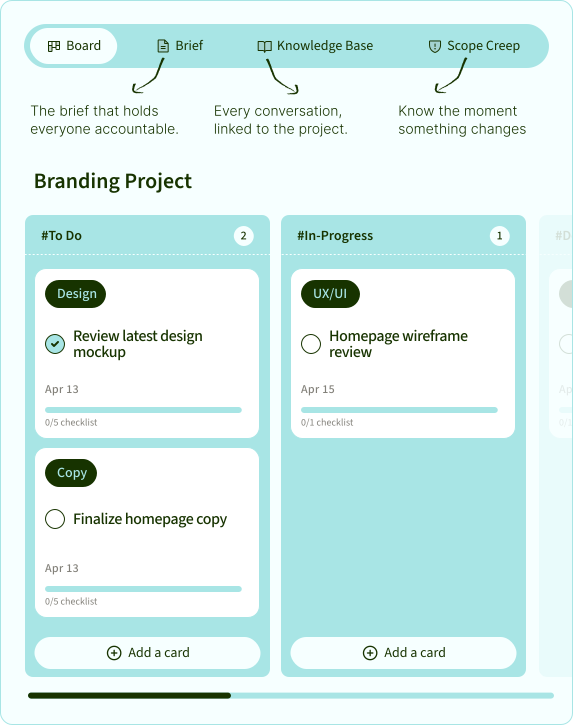
Send any card from a client project board to your list in one click. Tick it off in either place and both are done.
You choose which sources add tasks on their own in Settings. Calendar events are on from the start; meetings, email and Slack are yours to switch on.
Not another list to maintain
A task tracker app
that does the tracking.
Only your tasks.
Owned by you
Meetings and emails are full of things other people will do. Your list only gets what you promised, so it stays short enough to finish.
Every task knows where it came from.
Source on every task
Open a task and jump to the call, the email or the project card it came from. No more “why is this on my list?”
Plan My Day.
A short list for today
Plan My Day picks what matters today from everything you owe, so you start with a list you can actually finish.
Subtasks, labels, due dates.
Everything a to do checklist app needs
Break big tasks down, label them, set dates. Delete one by mistake and Undo brings it back.

A timer on any task.
Built-in pomodoro
Hit play on a task to run a focus timer on it. When it rings, take the break.
Your calls next to your tasks.
Calendar in the same view
Upcoming shows today's meetings with a Join button, and any calendar event becomes a task in one click.

Stop copying tasksbetween apps.
A to-do app here, a meeting notetaker there, an inbox you mine for tasks by hand. SayBriefly puts them in one app, so tasks arrive where you already plan your day, and you don't pay for a separate to-do app.
Everything a to-do app does
Lists, subtasks, labels, due dates, a daily plan and a timer.
No second subscription
If you use SayBriefly for meetings or projects, your to-do list is already there.
One app, not three
To-dos, meeting notes and project boards in one place.
The best to do list apps,
side by side.
← Scroll to compare →


Mac and Windows

Apple only
Built-in pomodoro timer

Your calendar next to your tasks
tasks only
Finds tasks in your email for you
flagged Outlook mail
Turns what you promised on a call into a task
Syncs with a client project board
Checked September 2026 from each product's public website and independent 2026 reviews.
What a day looks like
Your list on a Tuesday.
Send Maria the final homepage files by Friday. You said it on the review call, and the task links back to that meeting.
From an emailReply to Tom with the revised timeline. Pulled from his email this morning, linked to the thread.
From the boardFinish the pricing page layout. A card on the client's project board, due today.
Book the dentist. Some things you still add yourself, and that takes two seconds.
Mac, Windows and the web
Wherever you work.
To do list app for Mac.
macOS 12 or later
A native desktop app for your MacBook, iMac or Mac mini, with your meetings captured on the same machine.
To do list app for Windows.
Windows 10 and 11
The same list, the same Plan My Day, the same tasks from your calls and email.
In your browser.
app.saybriefly.com
Open your list from any computer. Everything stays in sync with the desktop app.
Getting it done
Six tips for a todo list
you'll actually finish.
Plan the day, not the week
Pick three to five things for today. The rest can wait on the list.

Start each task with a verb
“Send the files”, not “Files”. You'll know what to do the moment you read it.
Break big tasks down
If it takes more than an afternoon, it's a project. Give it subtasks.
Only keep what's yours
Things other people owe belong in the notes, not on your list.
Time-box the hard one
Put 25 minutes on the task you're avoiding. Starting is the hard part.
Clear it every week
Delete what no longer matters. A shorter list is a list you trust.
Who it's for
The best to do list app
for client work.
Freelancers
Promises made on client calls and in emails land on one list, so nothing a client is waiting for gets lost.
Studio project managers
Board cards and personal tasks in one view, and every task linked to the client it belongs to.
Designers and developers
Feedback from review calls turns into tasks you can start right away, with a timer when you need focus.
58 things on the list. You'll do three.
Let's make them the right three.

When lists get overwhelming
A list that doesn't
turn into a wall.
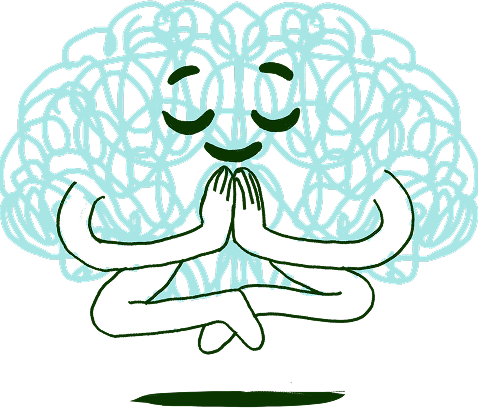
Long lists stop working, and for many people with ADHD they stop working fast: everything looks equally urgent, so nothing starts. SayBriefly keeps your list short by only adding what's yours, and Plan My Day picks what matters today.
Only what's yours
Other people's action items never land on your list.
A plan for today
A few things to start with, not the whole mountain.
One task, one timer
Start the timer and do just that one thing.
Questions
What people ask about to do list apps.
What is the best to do list app?
+
It depends on how you work. Todoist is a strong all-rounder, TickTick adds a calendar and a timer, Things 3 is calm and Apple-only, and Microsoft To Do is simple and free. If your tasks come from client calls, emails and projects, SayBriefly fills your list from them automatically.
How does SayBriefly create tasks for me?
+
Switch on the sources you want in Settings. Then, after a meeting, what you committed to becomes a task. When an email asks you to do something, it becomes a task with a link to the email. Cards from your project boards can be added to your list in one click.
Will other people's action items end up on my list?
+
No. Only your own commitments are added. What others owe stays in the meeting notes.
Can I still add tasks myself?
+
Yes. Add a task in a second, with subtasks, labels and a due date, or ask the assistant to add it for you.
What is Plan My Day?
+
Plan My Day picks what matters today from everything you owe, so you start the day with a short list you can finish.
Does it have a pomodoro timer?
+
Yes. Start a focus timer on any task in your list or on a project card.
Is there a to do list app for Mac and Windows?
+
Yes. SayBriefly runs on Mac (macOS 12 or later) and Windows 10 and 11, and in the browser at app.saybriefly.com, all in sync.
Does it work with my calendar?
+
Yes. Connect Google Calendar and your meetings appear next to your tasks, with a Join button for calls. Any event can become a task in one click.
Do I need a separate to-do app subscription?
+
No. The to-do list is included in SayBriefly, together with the meeting notetaker, dictation and project boards.
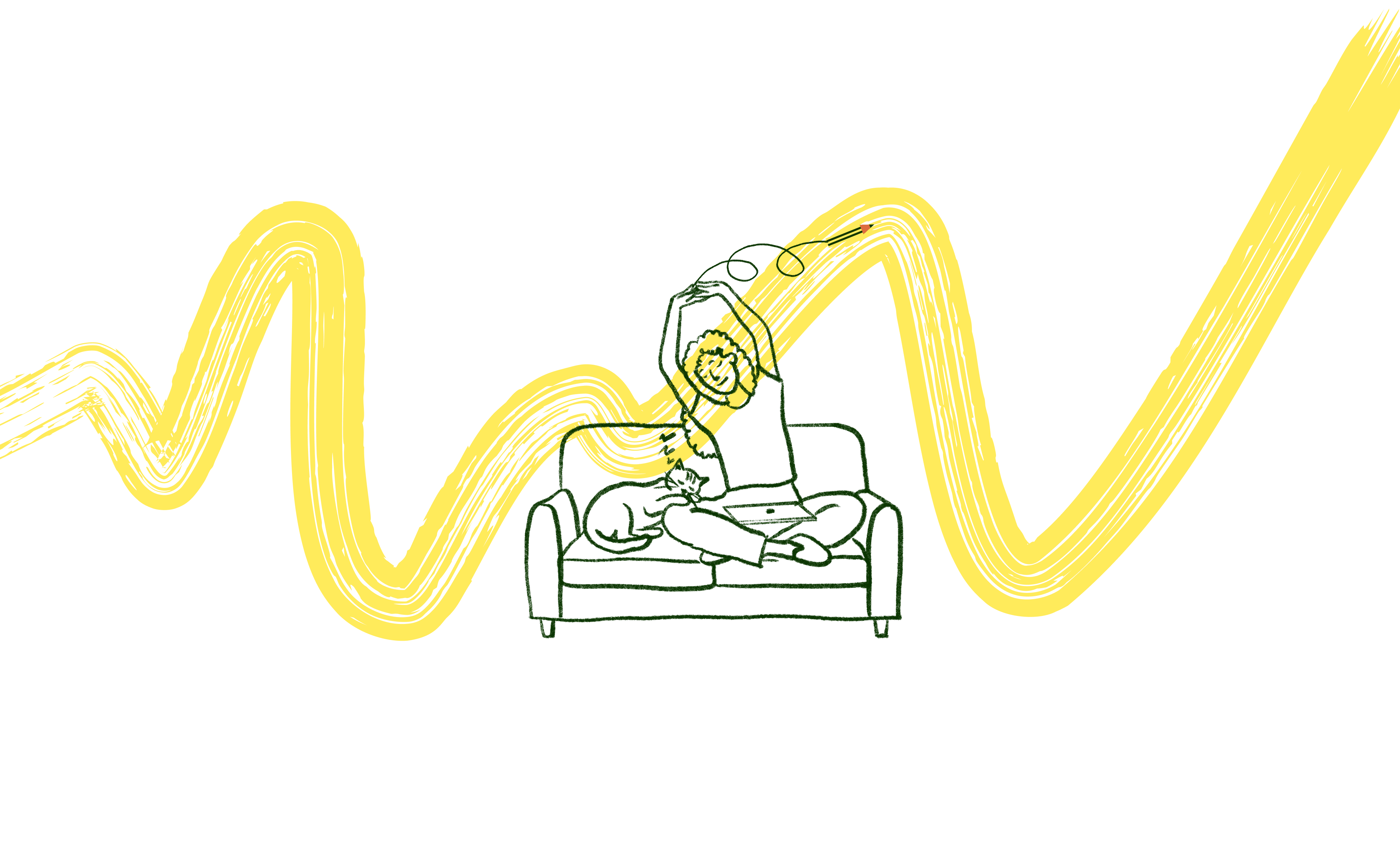
It's 4pm on a Friday. The brief is locked, the client is happy, and Scribbble already sent the meeting recap. You close the laptop.
That's the point.

“SayBriefly allows me to give my full awareness in meetings, enabling radical presence, relevant question-asking, and finding flow that was otherwise elusive when note-taking.”

Emma Joel, Creative Director
Itsmy Studio
“The AI summaries are incredibly accurate. Our entire team adopted SayBriefly within weeks, and our post-meeting clarity has never been better.”

Marcus Chen, Product Manager
Pixel Lab
“What used to take hours of note-taking and follow-up emails now happens automatically. SayBriefly is the assistant I didn't know I needed.”

Sarah Williams, Head of Design
Studio Bloom

Stop being the person
who types up the tasks.
Tasks from your calls.
Tasks from your email.
Only the ones that are yours.



2026 ©SayBriefly. All rights reserved.
Designed by @HustleJar